

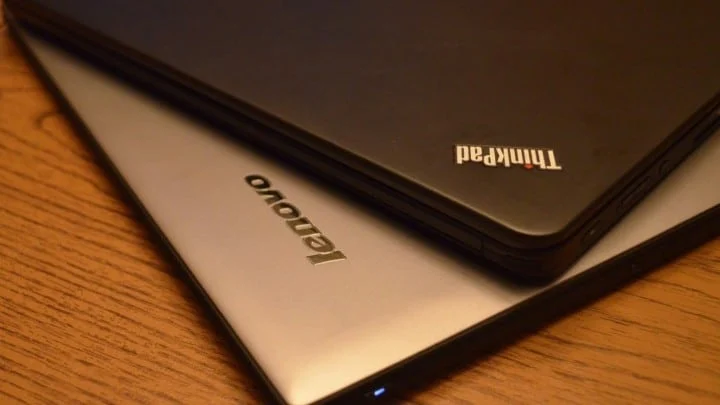
Picking a laptop for office use sounds straightforward until you realize there are two entirely different categories designed for two different purposes. Business laptops and consumer laptops may look similar on a spec sheet, but they’re built with different priorities in mind.
This guide breaks down the real differences in durability, security, manageability, and total cost of ownership so you can make the right call for your team or organization.
What separates business laptops from consumer laptops
Business laptops like the Lenovo ThinkPad, Dell Latitude, and HP EliteBook are designed for durability, security, and long-term enterprise use. Consumer models like the ASUS Vivobook, Acer Aspire, and HP Pavilion focus more on affordability and everyday tasks. The gap between them comes down to how each handles daily wear, protects sensitive data, and works with IT management systems.
Here’s a simple way to think about it: a business laptop is built to survive three to five years of constant travel, protect company information, and plug into corporate IT systems without extra work. A consumer laptop is made for personal use, where ruggedness and enterprise security aren’t as important.
For office procurement, this difference affects how much you’ll spend over time, how often devices break down, and how easily your IT team can set up and manage laptops across the organization.
Why build quality matter for office environments
Business laptops often go through military-grade testing called MIL-STD-810G or MIL-STD-810H. This testing checks how well devices handle drops, vibration, humidity, and temperature changes. The result is a laptop that can take the bumps of daily commutes, conference room moves, and the occasional accident.
Consumer laptops usually use lighter plastics and thinner frames to keep prices low. They look good, but they may not hold up to the same level of daily use. After a year or two, you might notice worn hinges, cracked corners, or keyboard issues.
When you’re purchasing dozens or hundreds of devices for an organization, selecting business-grade build quality means fewer replacements and fewer unexpected repair bills.
How security features differ between the two categories
Security is where business laptops really stand apart. Most come with layers of protection that consumer models don’t offer.
- TPM 2.0 chips: These are hardware modules that encrypt data at the chip level, so even if someone removes the hard drive, they can’t read what’s on it.
- Biometric login: Fingerprint readers and infrared cameras let users sign in with Windows Hello instead of typing passwords.
- Smart card slots: Common in government and banking, these slots allow secure ID card authentication.
- Self-encrypting drives: The storage automatically encrypts everything without slowing down performance.
- BIOS-level controls: IT teams can remotely wipe a lost device or lock it down before it even boots up.
Consumer laptops might have a fingerprint reader, but they rarely include the full security stack that offices handling sensitive data depend on.
Imagine an employee loses a laptop at the airport. With a business laptop’s remote management tools, IT can wipe the device before anyone accesses the data. With a consumer model, that same situation could turn into a data breach.
What to expect from performance and battery life
Both business and consumer laptops now use similar processors. You’ll find Intel Core Ultra, AMD Ryzen, and Apple M-series chips across both categories. The difference is in how business laptops balance power with endurance.
Business laptops prioritize battery life and heat management over raw speed. Consumer laptops sometimes push performance harder, which can drain the battery faster or cause the laptop to slow down when it gets too hot.
| Feature | Business laptops | Consumer laptops |
| Typical battery life | 10 to 14+ hours | 6 to 10 hours |
| Heat management | Designed for all-day workloads | May slow down under heavy use |
| RAM upgrades | Often user-replaceable | Frequently soldered in place |
| Storage expansion | Multiple drive slots common | Usually one SSD slot |
For office workers running spreadsheets, video calls, and browser tabs all day, the longer battery life and steady performance of business models mean fewer interruptions and less time hunting for power outlets.
Why port selection and connectivity options vary
Business laptops tend to include more ports because enterprise users often connect to older equipment, external monitors, and wired networks. You’ll typically find:
- USB-A ports for legacy devices like printers and external drives
- HDMI or DisplayPort for presentations and dual-monitor setups
- Ethernet jacks for fast, stable network connections
- Docking station compatibility for clean desk arrangements
Consumer laptops increasingly rely on USB-C alone. That works fine for personal use, but in an office where people regularly plug into projectors, wired networks, or older peripherals, the lack of ports means buying adapters and dongles.
If your team connects to conference room displays or prefers wired internet for security reasons, the native port selection on business laptops saves time and reduces clutter.
How manageability and IT support compare
One of the biggest advantages of business laptops is how easily IT teams can manage them at scale. Technologies like Intel vPro, AMD Pro, and Microsoft Autopilot allow IT staff to:
- Set up operating systems and software remotely, without touching each device
- Monitor device health and security status from a central dashboard
- Push updates across the entire fleet at once
- Fix problems even when laptops are off-site or powered down
Consumer laptops don’t include these enterprise management tools. That means IT staff often have to physically handle each device to configure it, update it, or troubleshoot issues.
For a company growing from ten to a hundred employees, this difference directly affects how much time and money goes into IT support.
What warranty and support options look like
Business laptops usually come with multi-year warranties that include next-business-day on-site repair, accidental damage coverage, and dedicated phone support. Dell’s ProSupport, HP’s Care Pack, and Lenovo’s Premier Support are examples of these enterprise-level programs.
Consumer warranties typically cover one year of depot repair. That means you ship the laptop out and wait for it to come back, which can take a week or two.
Extended warranties are available for consumer models, but they rarely match the response times or coverage of business support tiers. When a broken laptop means lost productivity for an entire team, the difference between a same-day fix and a two-week wait matters.
Which operating system works best for office use
Business laptops almost always ship with Windows 11 Pro. Consumer laptops usually come with Windows 11 Home. The difference isn’t just a label; it affects what IT teams can do with the device.
Windows 11 Pro includes:
- BitLocker encryption: Full-disk encryption that IT can manage through Group Policy
- Remote Desktop hosting: Allows IT to access the device remotely for support
- Domain join and Azure AD: Connects the laptop to corporate identity systems
- Group Policy support: Lets IT push settings and restrictions across all devices
Windows 11 Home works fine for personal use, but it lacks the management and security features that office environments rely on. Upgrading from Home to Pro is possible, but it adds cost and extra setup steps.
How to choose the right laptop for your office needs
The right choice depends on how many devices you’re buying, what kind of data your team handles, and how long you expect laptops to stay in service.
Business laptops make sense when:
- You’re deploying five or more devices
- Your team works with sensitive customer or financial information
- You want centralized IT management
- Devices will be in use for three years or longer
Consumer laptops can work when:
- Budget is the main concern
- Devices are for light tasks that don’t involve sensitive data
- You’re buying for a small team with minimal IT support
For example, a growing company outfitting a new sales team would benefit from Dell Latitude or Lenovo ThinkPad devices with vPro management and three-year warranties. A small creative studio with flexible work arrangements might find that ASUS Zenbooks offer the right mix of performance and price.
Tip: When comparing prices, add up warranty costs, potential repair expenses, and IT labor for setup. A consumer laptop that costs 30% less upfront may cost more over three years once you factor in replacements and manual configuration time.
Where to source authentic business and consumer laptops in Africa
Buying laptops in African markets comes with real challenges. Gray market devices without valid warranties, inconsistent supply, and limited after-sales support are common problems. Working with an authorized distributor removes these risks.
TD Africa is the authorized distributor for HP, Dell, Lenovo, Microsoft, and other leading brands across Sub-Saharan Africa. Every device comes with verified authenticity, full manufacturer warranty honored locally, technical support when issues arise, and flexible procurement options including credit terms and bulk pricing.
Whether you’re outfitting a single department or rolling out devices across multiple locations, having a distribution partner with regional logistics and direct OEM relationships simplifies the entire process.
Frequently asked questions
Can I upgrade a consumer laptop to have business-grade features?
Some upgrades are possible. You can often add more RAM or swap in a larger SSD on certain consumer models. However, hardware security modules, vPro management capabilities, and ruggedized construction can’t be added after purchase. If those features matter for your use case, starting with a business laptop is the more practical path.
Are business laptops worth the higher price for small teams?
For teams of five or fewer with basic productivity tasks and no sensitive data, consumer laptops may be enough. Once you factor in longer lifespan, better support, and reduced IT overhead, though, business laptops often deliver better value over three years.
Do business laptops work with personal software and applications?
Yes. Business laptops run the same Windows operating system and support all standard applications. The difference is in the additional enterprise features, not in compatibility with everyday software like Microsoft Office, browsers, or creative tools.
