

In 2026, a business laptop is no longer just a work device. It is often the front door to company email, cloud storage, customer records, financial systems, collaboration apps, and internal documents. If that device is lost, stolen, or compromised, the damage goes well beyond the hardware itself.
Recommended Reading: Business vs Consumer Laptops in 2026: What Every African Professional and Business Needs to Know
The laptop sitting on your employee’s desk, or travelling in their bag, is the most common entry point into all of it. This article breaks down the security features every enterprise should treat as non-negotiable when procuring business laptops, why each one matters, and what your procurement team should demand before signing off on the next fleet purchase.
1. TPM 2.0
TPM 2.0 is a hardware-based security standard that establishes a trusted foundation for device integrity, secure authentication, and protection of sensitive data in modern computing systems. The Trusted Platform Module (TPM) is a dedicated security chip embedded directly into the laptop’s motherboard. It is not software. It cannot be removed, spoofed, or bypassed through the operating system, which is precisely what makes it the foundation of enterprise-grade device security.
The TPM securely stores encryption keys, verifies boot process integrity, preventing firmware attacks, and enables features like hardware-backed disk encryption, making it significantly harder for attackers to compromise the device even with physical access.
TPM 2.0 is the current mandatory standard. It is a prerequisite for Windows 11 Pro, the operating system baseline for enterprise environments, and it is what enables BitLocker full-disk encryption to operate at the hardware level rather than the software level. Enterprise devices must adhere to relevant industry and regional regulations. Devices with certified TPM chips support secure boot and facilitate compliance with organisational security policies and frameworks like NIST SP 800-171.
For Nigerian enterprises operating in regulated sectors- financial services, healthcare, government- TPM 2.0 is not optional. It is the minimum threshold.
2. Full-Disk Hardware Encryption
A password protects access to a laptop. Encryption protects the data inside it, and the distinction matters enormously when a device is lost or stolen.
Without encryption, the data on a laptop’s storage drive is fully readable by anyone with the right tools, regardless of the login password. Physical access to the drive is all an attacker needs. With hardware encryption enabled, the drive’s contents are cryptographically scrambled and unreadable without the correct authentication, even if the drive is removed from the device entirely.
Hardware-based encryption provides a more robust foundation than software alone. Business laptops typically offer enhanced encryption options as standard, and these capabilities are tightly integrated with the device’s TPM chip and secure boot process.
BitLocker, Microsoft’s enterprise encryption tool, operates most effectively when paired with TPM 2.0, using the chip to store and protect the encryption key rather than relying on a software-managed password. The practical implication is that a stolen device with BitLocker and active TPM 2.0 is, for all practical purposes, inaccessible.
HP’s TPM Guard, launched in March 2026, represents the next evolution of this protection, the first hardware solution specifically designed to stop physical TPM bus attacks, closing a known BitLocker security gap where an attacker with physical access could intercept the encryption key in transit between the TPM chip and the processor.
For Nigerian enterprises where laptop theft is a genuine operational risk, hardware encryption is the single security feature that converts a stolen device from a catastrophic data breach into a recoverable hardware loss.
3. Biometric Authentication
Passwords are the weakest link in enterprise security. They are shared, forgotten, guessed, phished, and reused across systems. Biometric authentication options like fingerprint scanners and facial recognition offer quick, contactless access, enhancing both privacy and convenience. Multi-factor authentication, combining passwords with biometric or hardware tokens, significantly reduces the risk of unauthorised entry.
Modern enterprise laptops offer two primary biometric authentication methods:
Behavioural Biometrics
Behavioural biometrics are predicated based on how an individual behaves and interacts with the outside world. Traits like walking gait, typing rhythm, and vocal patterns form a distinctive behavioural identity that is just as unique as physical characteristics.
- Voice recognition: Uses advanced audio analysis to identify and verify individuals based on distinctive vocal characteristics such as pitch, tone, cadence, and speech patterns.
- Typing patterns: Uses behavioural analytics to identify individuals through their unique typing characteristics, including speed, rhythm, keystroke pressure, and typing cadence.
- Gait recognition: Leverages motion analysis and computer vision technologies to identify individuals based on their unique walking style, posture, and movement patterns.
- Signature dynamics: Analyses the behavioural traits of a handwritten signature, including stroke order, pressure, speed, and pen movement, to verify identity.
Physical Biometrics
Physical biometrics are tied to quantifiable biological traits such as iris patterns, fingerprints, or facial features. Because these characteristics are unique to the individual and stable over time, they are among the most frequently utilised in modern security systems.
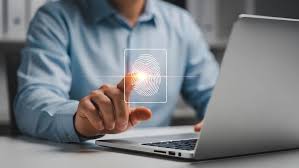
- Fingerprint readers are embedded into the device chassis, often in the power button or a dedicated sensor, and register a user’s fingerprint locally on the device, stored in the TPM rather than in the cloud. Access is granted only when the registered fingerprint is present; even if login credentials are compromised through phishing or data leakage, the device itself cannot be accessed without physical presence.
- Facial recognition via IR camera uses infrared imaging to authenticate the device owner, a technology that operates in low light and cannot be spoofed by a photograph. IR cameras in ThinkPad systems enable Windows Hello facial and biometric login, as well as presence detection, allowing the device to lock automatically when the user steps away.
In practice, enterprise environments should require both fingerprint for primary daily access and facial recognition for hands-free scenarios. Together, they create an authentication layer that is faster than password entry and significantly more resistant to the social engineering attacks that are the leading threat vector in Nigeria’s corporate environment.
4. Secure Boot and BIOS Protection
Most laptop security conversations focus on the operating system and the applications running on top of it. Secure Boot and BIOS protection address a more fundamental threat: attacks that target the device before the operating system even loads.
Firmware attacks malicious code planted in the BIOS (the foundational software that initialises hardware before the OS runs) are among the most dangerous categories of cyberattack because they operate below the level at which most security software can detect or respond to them. A compromised BIOS can survive a full operating system reinstall, making it extraordinarily difficult to remediate.
Dell’s Trusted Boot Chain approach uses multiple roots of trust, including an Embedded Controller and a chipset security processor, such as Intel’s Converged Security and Management Engine, to execute verified boot firmware prior to the operating system loading. For commercial devices launching in 2026, the Embedded Controller offers post-quantum cryptography-ready firmware signing, using verification algorithms resistant to next-generation attack vectors.
For commercial devices launching in 2026, the Embedded Controller offers post-quantum cryptography-ready firmware signing, using verification algorithms resistant to next-generation attack vectors, and locks the BIOS when software is running to help prevent planted malware from gaining traction at the firmware level.
The practical implication for Nigerian enterprises: a device with Secure Boot and BIOS protection enabled will refuse to load any operating system or bootloader that has not been cryptographically verified, meaning even if an attacker gains physical access to the device and attempts to boot from an external drive or modified firmware, the device will not cooperate.
5. Remote Wipe and Mobile Device Management (MDM) Compatibility
Remote wipe allows an IT administrator to issue a command that erases all data on a device, rendering it clean and inaccessible, regardless of where it is physically located, provided it has network connectivity. Combined with Mobile Device Management (MDM) platforms, remote wipe becomes part of a broader fleet management capability that gives IT teams visibility and control over every device in the organisation from a central dashboard.
Lenovo’s ThinkShield platform provides IT administrators with a reliable two-way connection with all of their devices, so they can secure endpoints, assess risk, and respond to security incidents, including applying remote security measures to protect each device and the data it contains. ThinkShield Secure Wipe operates at BIOS level, complying with NIST SP 800-88 Revision 1 guidelines for media sanitisation, a standard that confirms complete data destruction rather than simple file deletion.
Key Mobile device management (MDM) considerations for enterprise procurement include compatibility with platforms such as Microsoft Intune and VMware Workspace ONE, support for remote provisioning and wiping, and the ability to enforce security policies centrally. Verify OS and management API support before large-scale deployment.
6. Privacy Screen and Physical Security Features
In open offices, shared workspaces, and public environments, all common realities for Nigerian professionals working across multiple sites, the simplest form of data theft is visual: someone sitting beside your employee and reading the screen.
Business laptops with built-in physical webcam shutters and indicators prevent unauthorised video access. Privacy screens that block side views and reduce blue and UV light exposure provide an additional layer of protection in public and shared environments.
Lenovo’s ThinkPad Privacy Guard takes this further: an electronically controlled privacy filter built directly into the display that activates on demand, making the screen appear blank to anyone viewing from an angle while remaining fully visible to the user directly in front of it. No physical attachment, clip-on accessory, or separate purchase. The protection is in the hardware.
Physical port security is the second dimension of this layer. Lenovo’s BIOS-based Smart USB Protection allows IT professionals to configure USB ports to respond only to keyboards and pointing devices, preventing rogue USB storage devices from being plugged in during bootup, a common vector for data exfiltration and malware delivery.
Kensington lock compatibility, a physical slot on the device chassis that accepts a cable lock, is the most basic physical security feature but remains relevant for fixed workstations in shared office environments.
7. Windows 11 Pro
Hardware security features only deliver their full value when paired with an operating system built to use them. Windows 11 Pro is that baseline for enterprise environments.
Enterprise-grade operating systems like Windows 11 Pro provide regular security updates, compatibility with endpoint protection software, VPNs, and remote management tools that are essential for ongoing security in professional environments. Windows 11 Home lacks BitLocker, domain join capability, Group Policy management, and the enterprise MDM features that IT teams depend on to enforce security standards across a fleet.
Beyond the operating system version, enterprise procurement should require devices enrolled in the Microsoft Pluton security architecture, a processor security chip co-designed by Microsoft and OEMs that integrates directly with the CPU, removing the bus communication gap that traditional TPM arrangements require. This is the next generation of hardware-OS security integration, and leading business laptop lines from HP, Dell, and Lenovo are already building it in.
What to demand in procurement: Require Windows 11 Pro as the minimum OS specification on all enterprise fleet devices. Consumer devices shipped with Windows 11 Home are not suitable for professional IT environments managing sensitive data, regardless of their hardware specifications.
8. Supply Chain Integrity
Every security feature listed in this article assumes one foundational condition: that the device you receive is the device it claims to be, with the components it was specified with, sourced through a chain of custody you can verify.
In Nigeria’s technology distribution environment, that assumption is not always safe to make. A growing share of reported crimes in Africa is cyber-related, with two-thirds of INTERPOL’s African member countries surveyed reporting that cyber-related crimes accounted for a medium-to-high share of all crimes, rising to 30 per cent in Western and Eastern Africa. The unauthorised resale channels that source devices outside manufacturer distribution agreements are one of the vectors through which compromised hardware enters enterprise environments.
Unauthorised market devices may carry modified firmware, unverified components, or batteries from unverified sources. They arrive without valid OEM warranties, and critically, the TPM chips, Secure Boot configurations, and BIOS protections that enterprise security depends on may have been altered or disabled before the device reaches the buyer.
Lenovo’s ThinkShield security approach begins at development and continues through the supply chain and the full lifecycle of every device, from development through disposal. Every Think device is engineered from the ground up for security, with physical security through tamper-evident packaging, qualified transportation, and secure tracking to ensure that devices arrive in exactly the condition they were shipped.
That supply chain integrity only holds when devices are sourced through authorised distributors with direct OEM agreements. TD Africa is an authorised distributor for HP, Lenovo, Dell, and other leading enterprise brands in Nigeria, meaning every device supplied carries a verifiable serial number, valid OEM warranty, and genuine components backed by full manufacturer support.
Conclusion
Nigeria’s fintech, e-commerce, and digital services sectors have grown rapidly, but many organisations operate without basic cybersecurity frameworks, and growth has outpaced governance. The laptop fleet sitting across your organisation’s offices is where that governance gap either closes or widens.
Hardware security features are not premium add-ons for large enterprises with sophisticated IT teams. They are the baseline that every organisation handling customer data, financial records, or confidential communications owes to the people whose information they hold.
OEM partners with the deepest security engineering: HP with Wolf Security, Lenovo with ThinkShield, Dell with SafeBIOS and Trusted Device, make these features standard on their business laptop lines. The question is whether your procurement process knows to require them, and whether your distribution partner can guarantee that what arrives is exactly what was specified.
TD Africa is an authorised distributor for HP, Lenovo, Dell, and other leading OEM brands across sub-Saharan Africa. Every device sourced through TD Africa arrives with verified components, valid OEM warranties, and the supply chain integrity that enterprise security depends on.
Frequently Asked Questions (FAQs)
- Is TPM 2.0 mandatory for enterprise laptops in 2026?
Yes. TPM 2.0 is a hardware requirement for Windows 11 Pro and is the foundation for BitLocker encryption, Secure Boot, and biometric authentication. Any enterprise laptop without a hardware TPM 2.0 chip should be removed from consideration before other specifications are evaluated. - What is the difference between hardware encryption and software encryption on a laptop?
Hardware encryption uses a dedicated chip, the TPM or a self-encrypting drive to manage the cryptographic keys that protect your data. Software encryption manages those keys through the operating system, which is more vulnerable to attack. - Can a stolen laptop be protected even without remote wipe capability?
Hardware encryption provides a strong baseline, a stolen device with BitLocker and TPM 2.0 active is effectively inaccessible without the correct credentials. - Why does sourcing from an authorised distributor matter for security?
Authorised market devices may arrive with modified firmware, altered BIOS configurations, or unverified components that undermine every security feature the OEM designed into the device.
