For IT leaders and procurement managers who have lived through a bad fleet deployment, the answer is: far more complicated than the purchase order suggests.
A laptop chosen on price alone creates support tickets; a laptop chosen for the wrong user persona creates frustration and productivity drag. A laptop sourced through an unverified channel creates warranty voids and security exposure, and fleet procurement without a structured framework creates all three problems at once, compounded across hundreds or thousands of devices.
Recommended reading: BUSINESS VS CONSUMER LAPTOPS IN 2026: WHAT EVERY AFRICAN PROFESSIONAL AND BUSINESS NEEDS TO KNOW
Choosing a business laptop is fundamentally a framework decision, not a feature comparison. This guide walks through how to match devices to user personas, set baseline specifications that prevent premature refresh cycles, evaluate operating systems for managed fleets, and source through channels that protect your warranty and authenticity guarantees across African markets.
What Defines a Business Laptop for Modern Enterprises
Suppose you’re an IT manager tasked with refreshing 200 devices across three offices, and you’re weighing whether to save budget by mixing in some consumer-grade laptops. The decision seems straightforward until you factor in warranty disputes, security gaps, and the support headaches that follow.
A business laptop is built for reliability, central management, and long-term use in professional environments. Business laptops typically include hardware-level security features such as TPM (Trusted Platform Module) chips, support for enterprise management tools like Microsoft Intune, and construction materials that survive years of daily use.
How to Match Business Laptops to Workloads and User Personas
One laptop specification does not fit all roles; the most effective procurement approach categorizes your workforce into standardized tiers, which avoids the ‘snowflake’ problem where every employee gets a custom configuration that complicates support and inflates costs.
Executives and Knowledge Workers
Executives and knowledge workers spend their days in documents, email, video calls, and presentations. Portability, premium build quality, and long battery life matter most here, while heavy processing power is usually unnecessary.
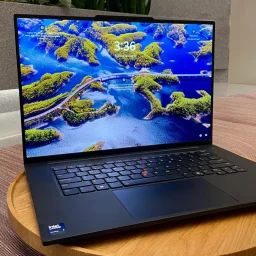
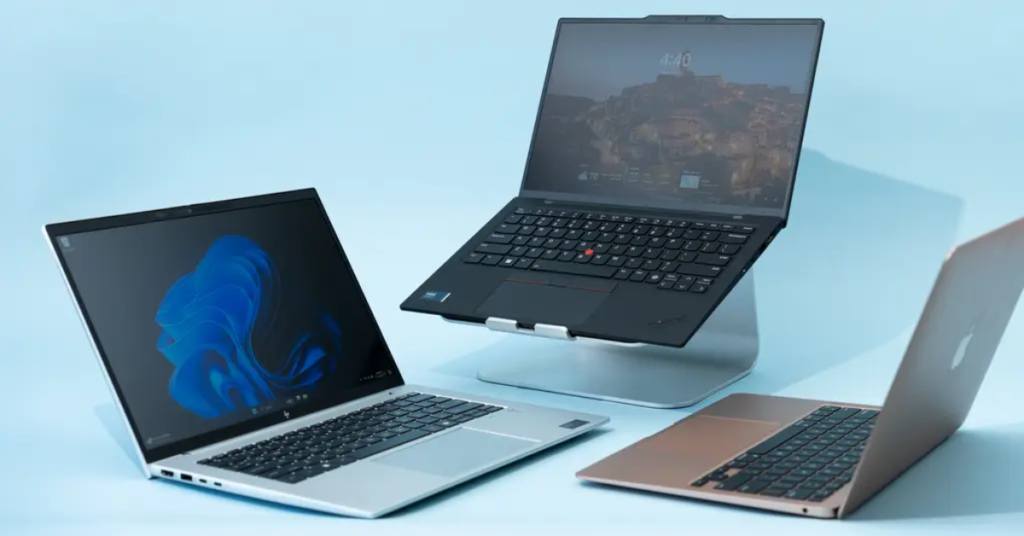
Devices like the HP EliteBook or Lenovo ThinkPad X1 Carbon serve this group well. Look for weight under 1.4kg, battery life exceeding 10 hours, and high-quality webcams for video conferencing.
Field, Sales, and Remote Teams
Frequent travel makes durability and battery life especially important for field teams. MIL-STD-810 certification indicates the device has been tested against drops, vibration, and temperature extremes.
LTE or 5G connectivity options are worth considering for teams that cannot rely on consistent Wi-Fi access across African markets.
Finance, Data, and Analytics Users
Spreadsheet-heavy work, financial modelling, and business intelligence tools demand strong RAM capacity and processing headroom. Finance and analytics users often have dozens of browser tabs open alongside Excel workbooks with thousands of rows.
32GB RAM is practical for this group, even if 16GB is the baseline elsewhere in your fleet.
Developers and Engineering Teams
Code compilation, virtual machines, and containerization require maximum RAM, fast NVMe storage, and higher-end processors. Underspending here creates a daily productivity drag that compounds over months.
Developers typically benefit from a minimum of 32G of RAM, 512GB or larger SSDs, and current-generation Intel Core i7/i9 or AMD Ryzen 7/9 processors.
Creative and Design Professionals
Graphic design, video editing, and CAD workloads require colour-accurate high-resolution displays, dedicated graphics capability, and fast storage. A 4K or OLED display with wide colour gamut support becomes a genuine productivity tool rather than a luxury for creative professionals.
| Persona | Primary Workload | Key Specs to Prioritise |
| Executives | Documents, video calls | Portability, battery life, and build quality |
| Field/Sales | Mobile productivity | Durability, LTE, battery life |
| Finance/Analytics | Spreadsheets, BI tools | 32GB RAM, fast processor |
| Developers | Code, VMs, containers | 32GB+ RAM, fast SSD, high-end CPU |
| Creatives | Design, video editing | Colour-accurate display, dedicated GPU |
The Baseline Specs Every Business Laptop Should Meet
Setting a specification floor prevents performance bottlenecks and premature refresh cycles. The baselines below represent the minimum standard IT teams can accept for devices expected to remain productive through 2029.
Processor and Performance
Current-generation processors from Intel (Core Ultra series) or AMD (Ryzen 7000/8000 series) provide the performance headroom for modern workloads. Cores handle parallel tasks, while threads allow each core to manage multiple processes simultaneously.
For most business users, a modern Intel Core i5 or AMD Ryzen 5 processor handles daily work comfortably. Power users benefit from stepping up to Core Ultra 7 or Ryzen 7.
RAM and Multitasking Headroom
RAM determines how many applications can run simultaneously without slowdown. Insufficient RAM causes frustrating lag that makes employees feel their devices are “slow” even with fast processors.
16GB is the baseline for business use in 2026. 32GB is recommended for power users, especially those running browser-based workflows alongside local applications.
SSD Storage and Speed
SSDs (Solid State Drives) have replaced spinning hard drives entirely for business laptops. SSDs are faster, more reliable, and consume less power, so there is no reason to accept an HDD in a business device today.
512GB SSD is the minimum. Users who work with large files or maintain local copies of cloud data may benefit from 1TB.
Display Quality and Resolution
Full HD (1920×1080) is the minimum acceptable resolution. Higher resolutions reduce eye strain during long workdays and improve productivity for users who work with detailed documents or multiple windows.
Brightness matters for users who work near windows or travel frequently. Look for displays rated at 300 nits or higher.
Battery Life in Real Use
Manufacturer claims often reflect ideal conditions that do not match real-world usage. A laptop rated for 15 hours might deliver 8-10 hours with typical business workloads.
Target devices that provide an authentic 8+ hours of unplugged productivity. For African markets where power reliability varies, battery life is an operational infrastructure rather than a convenience feature.
Build Quality, Ports, and Connectivity
Metal chassis and carbon fibre construction protect internal components better than plastic. MIL-STD-810 certification indicates that a product undergoes durability testing against real-world hazards.
Port selection matters more than it might seem. Weigh the necessity of legacy USB-A, HDMI, and SD card slots against reliance on dongles that get lost or forgotten.
| Spec Category | Baseline Minimum | Recommended for Power Users |
| Processor | Intel Core Ultra 5 / AMD Ryzen 5 | Intel Core Ultra 7 / AMD Ryzen 7 |
| RAM | 16GB | 32GB |
| Storage | 512GB SSD | 1TB SSD |
| Display | Full HD (1920×1080) | QHD or 4K |
| Battery | 8+ hours real-world | 12+ hours real-world |
Windows, Mac, and ChromeOS Compared for Managed Fleets
The choice of operating system affects device management, software compatibility, security tooling, and total cost. This is a fleet decision, not a matter of personal preference.
Windows on Intel and AMD
Windows offers the broadest enterprise software compatibility and the most mature MDM (Mobile Device Management) tools, including Microsoft Intune and SCCM. The widest hardware selection means more options across price points.
For African enterprise environments, Windows remains the dominant choice due to compatibility with legacy systems and established IT infrastructure.
Mac on Apple Silicon
Macs excel in creative and developer environments, benefiting from Apple’s unified hardware-software ecosystem. Apple Business Manager simplifies deployment for organizations committed to the platform.
However, higher upfront costs and narrower enterprise tooling make Macs a specialized choice rather than a fleet standard for most African enterprises.
ChromeOS for Lean Deployments
ChromeOS works best for browser-based workflows, education, and frontline workers. Low management overhead and a strong security model make ChromeOS attractive for specific use cases.
Limited offline capabilities and legacy application support restrict ChromeOS suitability for organizations with diverse software requirements.
- Windows: Best for broad compatibility and established IT environments
- Mac: Best for creative teams and Apple-centric workflows
- ChromeOS: Best for cloud-first, low-complexity deployments
Security and Manageability Features IT Leaders Should Require
Business laptops integrate with enterprise security policies in ways consumer devices cannot, with hybrid work as the standard, security and collaboration features are top priorities.
- TPM chip: Enables encryption and secure boot, required for BitLocker and Windows Hello for Business
- Biometric login: Fingerprint or IR facial recognition for passwordless access
- Remote management: Allows IT to configure, update, and wipe devices remotely
- BIOS-level security: Protects against firmware attacks that survive OS reinstallation
Brand-specific security platforms add additional protection layers. HP Wolf Security, Dell Trusted Device, and Lenovo ThinkShield provide firmware-level protections and threat detection that complement your endpoint security stack.
Why Fleet Standardization Outperforms Chasing Top Specs
The temptation to buy best-in-class devices for every user creates hidden costs that compound over time. Standardizing on a few models simplifies procurement, support, imaging, parts inventory, and training.
- Simplified support: Fewer models mean faster troubleshooting and reduced training burden
- Bulk pricing: Standardization unlocks volume discounts from distributors
- Faster imaging: One image per model speeds deployment significantly
- Predictable lifecycle: Easier refresh planning when the fleet is uniform
This does not mean every employee gets identical hardware; it means you define three to four standard configurations aligned to your persona tiers, then resist the pressure to accommodate individual preferences that fragment your fleet.
How to Plan a Laptop Refresh Cycle and Lifecycle Budget
A refresh cycle is the planned interval between device purchases; most business laptops remain productive and secure for three to four years, though well-specified devices can extend to five years.
Signs that a device is approaching the end of life include slower boot times and lag in core applications, out-of-support operating systems or missing hardware security features, warranty expiration that increases risk and repair costs, and business growth that requires new devices for new hires or role changes.
Total cost of ownership (TCO) includes purchase price, support, accessories, refresh, and disposal. Budgeting across years rather than reacting to failures prevents cash flow surprises that force organisations into poor procurement decisions.
Zero-Touch Deployment and What to Expect from Your Distributor
Zero-touch deployment means devices arrive preconfigured and enrol automatically in your MDM system. The laptop ships directly to the employee, powers on, connects to the internet, and configures itself according to your IT policies without manual setup.
Windows Autopilot and Apple Business Manager enable this workflow, but zero-touch deployment requires coordination with your distributor. Authorized distributors register device hardware IDs with your MDM tenant before shipping.
The benefits are substantial: reduced IT workload, faster onboarding for new hires, and consistent security posture from the moment devices are unboxed.
A Step-by-Step Business Laptop Procurement Framework
A repeatable framework helps IT and procurement leaders make consistent decisions across purchasing cycles.
Step 1. Define User Personas and Workloads
Map roles across your organization to workload types. The output is a list of user groups with workload profiles that inform specification requirements.
Step 2. Set Budget Tiers and Total Cost of Ownership
Establish budget bands for each persona tier. Remember that TCO includes purchase price, support, accessories, refresh, and disposal, not just the invoice amount.
Step 3. Lock the Spec Baseline and OS Standard
Finalize minimum specifications and OS policy for your fleet. Document this as a written standard that procurement can reference for every purchase.
Step 4. Shortlist Brands and Models
Identify models from authorized brands that meet your spec baseline. Consider local availability, warranty terms, and distributor relationships. HP ProBook and EliteBook, Lenovo ThinkPad, Dell Latitude, and ASUS ExpertBook lines all offer business-grade options across price points.
Step 5. Validate Warranty, Support, and Delivery Terms
Confirm warranty coverage, after-sales support, delivery timelines, and return policies before purchase. This step is where authorized channels prove their value.
How to Evaluate Vendors and Avoid Gray-Market Laptops
Unauthorized market devices may lack valid warranties, may have tampered firmware, and can create compliance exposure. For enterprise buyers, the risk rarely justifies the apparent savings.
Authorized Distributor vs Reseller vs Open Market
The channel you source from determines your risk exposure and warranty protection.
- Authorized distributor: Direct OEM relationship, guaranteed authenticity, full warranty
- Authorized reseller: Sources from distributors, provides warranty pass-through
- Open/gray market: No OEM accountability, warranty often void, higher risk
How to Verify Authenticity and Warranty Coverage
Check serial numbers through OEM portals before deployment. Request proof of authorized sourcing from your vendor. Confirm warranty registration is active and covers your deployment region.
For African enterprises, warranty enforcement depends on local service networks. A device with a valid warranty but no service centre within your country provides limited practical protection.
Recommended Business Laptop Tiers for African Enterprises
African enterprises benefit from tiered procurement aligned to roles and budgets. The recommendations below reference major brands available through authorized distribution.
Entry Tier for Productivity and General Office Work
Entry-tier devices offer solid baseline specs with a value-focused approach. Entry-tier laptops are suitable for admin, customer service, and light office work.
Examples include HP ProBook 450, Lenovo ThinkPad E-series, Dell Vostro, and ASUS ExpertBook B1.
Mid Tier for Power Users and Hybrid Roles
Mid-tier devices offer higher RAM, better displays, and stronger build quality. Mid-tier laptops are suitable for managers, analysts, and mobile professionals.
Examples include HP EliteBook 840, Lenovo ThinkPad T-series, Dell Latitude 5000 series, and ASUS ExpertBook B5.
Premium Tier for Executives and Specialized Workloads
Premium-tier devices offer top specs, premium materials, and advanced security. Premium-tier laptops are suitable for executives, developers, and creatives.
Examples include HP Elite Dragonfly, Lenovo ThinkPad X1 Carbon, Dell Latitude 9000 series, and ASUS ExpertBook B7 Flip.
| Tier | Typical User | Example Models | Key Differentiators |
| Entry | Admin, customer service | HP ProBook, Lenovo ThinkPad E, ASUS ExpertBook B1 | Value-focused, baseline specs |
| Mid | Managers, analysts | HP EliteBook, Lenovo ThinkPad T, ASUS ExpertBook B5 | Better build, more RAM |
| Premium | Executives, developers | HP Elite Dragonfly, ThinkPad X1, ASUS ExpertBook B7 | Premium materials, advanced security |
Procurement Realities in Africa That Shape Smart Laptop Buying
Regional factors shape procurement decisions in ways that global buying guides often overlook.
- Import and logistics complexity: Customs clearance, lead times, and landed cost variability affect both pricing and delivery reliability
- Warranty enforcement: Local service networks determine whether warranty coverage provides real protection
- Forex and pricing: Currency fluctuations affect budgeting and total cost, making stable distributor relationships valuable
- Authenticity risk: Unauthorized market prevalence increases the importance of trusted sourcing through authorized channels
Working with authorized local distributors addresses all four of these concerns simultaneously.
Sourcing Business Laptops with Confidence Through TD Africa
TD Africa serves as an authorized distributor for HP, Dell, Lenovo, ASUS, Microsoft, and other leading brands across Sub-Saharan Africa. This means authenticity guarantees, regional logistics infrastructure, and after-sales support networks that make warranty coverage meaningful.
Whether you’re refreshing a fleet of 50 devices or equipping a growing team across multiple African markets, working with an authorized distributor simplifies procurement and reduces the risks that come with unauthorized market sourcing.
Visit tdafrica.com/partner to explore partnership options or contact our team for fleet procurement support.
Frequently Asked Questions (FAQs)
-
How long should a business laptop last before replacement?
Most business laptops remain productive and secure for three to five years, depending on workload intensity and how well the device was specified at purchase. Refreshing earlier makes sense if security updates end or performance drops significantly below acceptable levels.
-
Are Copilot Plus PCs worth standardizing on for enterprise fleets now?
Copilot Plus PCs offer AI-accelerated features through dedicated NPUs, but the enterprise software ecosystem is still maturing. Most organizations benefit from evaluating Copilot Plus PCs first for specific AI-heavy roles rather than standardizing fleet-wide today.
-
What is the minimum RAM and SSD capacity recommended for a business laptop today?
A modern business laptop baseline includes 16GB RAM for comfortable multitasking and a 512GB SSD for the operating system, core applications, and working files. Power users benefit from 32GB RAM and 1TB storage.